
HTML Editors
What is an HTML Editor?
An HTML Editor is a software or tool used to write, edit, and manage HTML code.
You can create a webpage using a simple text editor like Notepad, but HTML editors make it easier to write and organize code efficiently.
There are two types of HTML editors:
Text Editors – Basic tools to write HTML code manually.
WYSIWYG Editors – (“What You See Is What You Get”) tools that allow you to design web pages visually.
1. Text Editors
These are simple editors where you manually write HTML code.
Examples:
Notepad (Windows)
TextEdit (Mac)
Visual Studio Code
Sublime Text
Atom Editor
Example using Notepad
- Open Notepad.
- Type this code:
<!DOCTYPE html>
<html>
  <head>
    <title>My First HTML Page</title>
  </head>
  <body>
    <h1>Hello HTML!</h1>
    <p>This is my first web page.</p>
  </body>
</html>
3. Save the file as index.html
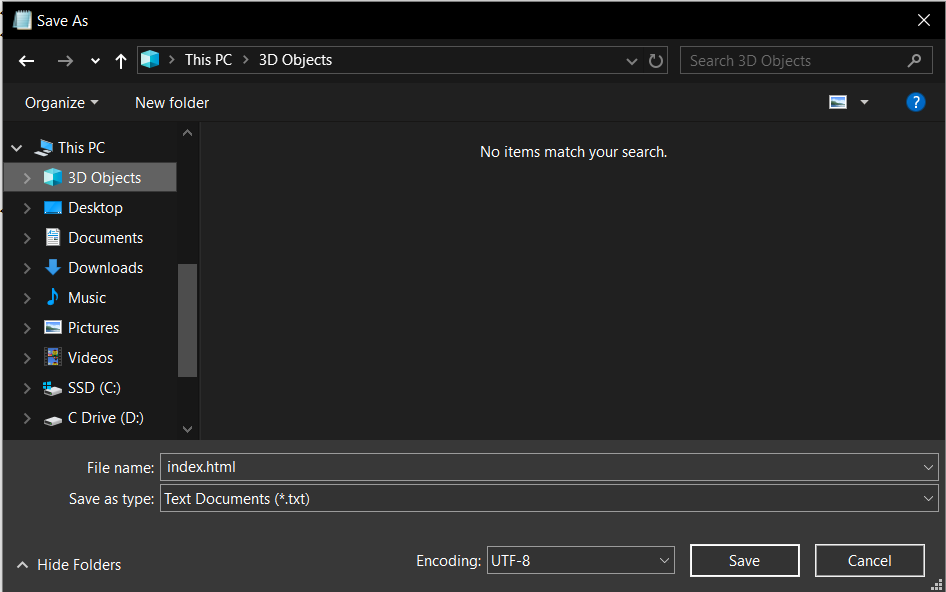
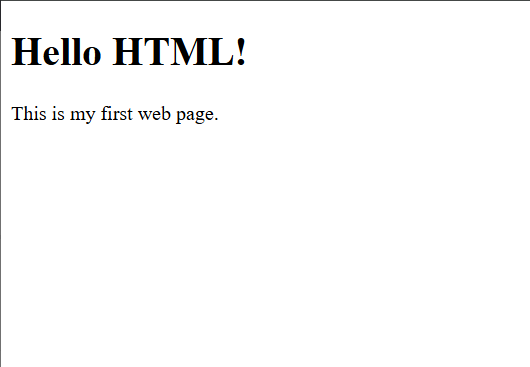
4. Open it in a browser.
You’ll see your web page displayed!
Recommended Editor for Beginners
For most beginners, Visual Studio Code (VS Code) is the best choice because:
It’s free and lightweight.
Supports HTML, CSS, and JavaScript.
Has auto-completion and syntax highlighting.
Offers live server preview and extensions.
Summary
| Type | Description | Example Tools |
|---|---|---|
| Text Editors | Simple code-writing tools | Notepad, VS Code, Sublime |
| WYSIWYG Editors | Drag-and-drop interface | Dreamweaver, CoffeeCup |
| Online Editors | Web-based testing tools | CodePen, JSFiddle |